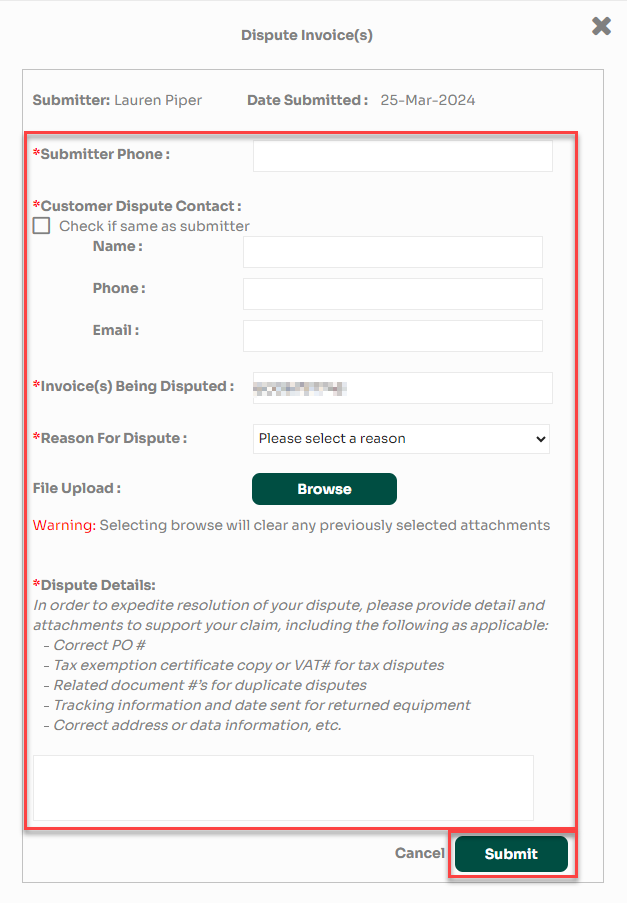
This guide walks you through the steps for submitting an invoice dispute using the NCR Atleos platform. Follow the instructions below to identify and dispute an invoice directly through the portal.
Step 1: Sign in to your portal account at https://portal.ncratleos.com.
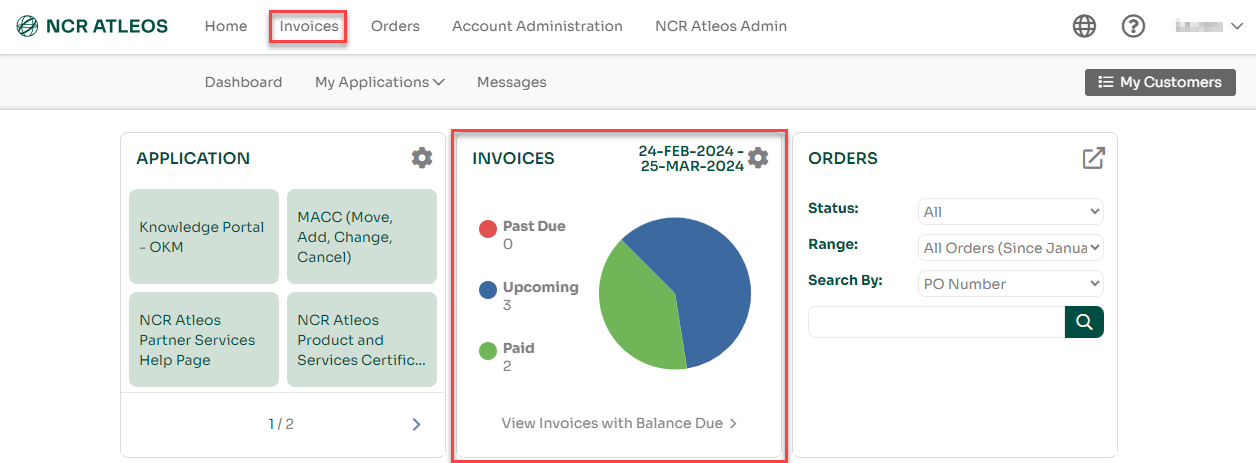
Step 2: On the dashboard, click on "Invoices" located in the top-left corner, or select the "Invoices" portlet.
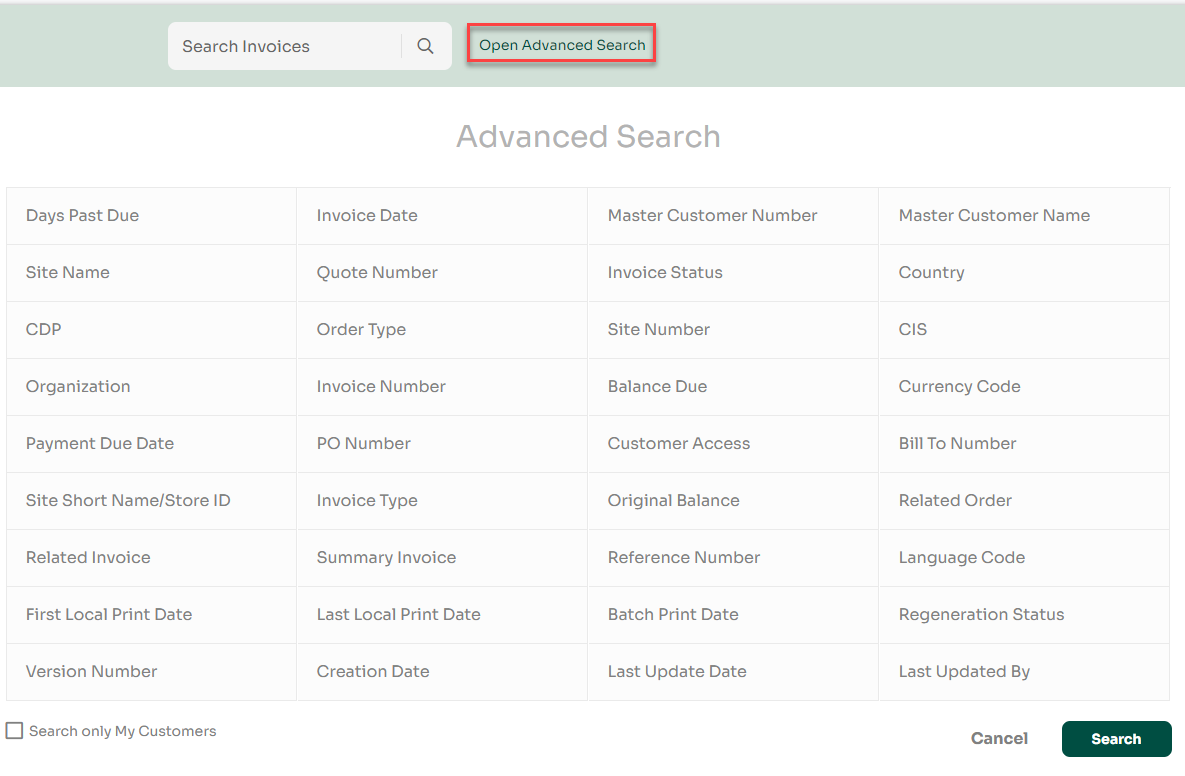
Step 3: Click on "Open Advanced Search" to expand filtering options. Enter your desired search criteria and click "Search" to locate a specific invoice.
Step 4: Find the invoice you wish to dispute. Select it by checking the box beside it, then click the "Dispute" button to open the dispute form.

Step 5: Fill out all the required fields in the dispute form, then click "Submit" to complete the process.