The MyNCR Atleos Dashboard is your personalized homepage after logging into the MyNCR portal. It provides quick access to key tools, real-time data, and account-specific features based on your permissions.
Think of the dashboard as your control center. It is made up of individual sections called portlets, which are interactive tiles that display information or allow you to perform specific actions—like viewing users, managing invoices, or accessing support applications.
Each user’s dashboard can look different depending on the portlets they've added or removed. You can fully customize it based on your needs.
Common portlets available on the dashboard include:

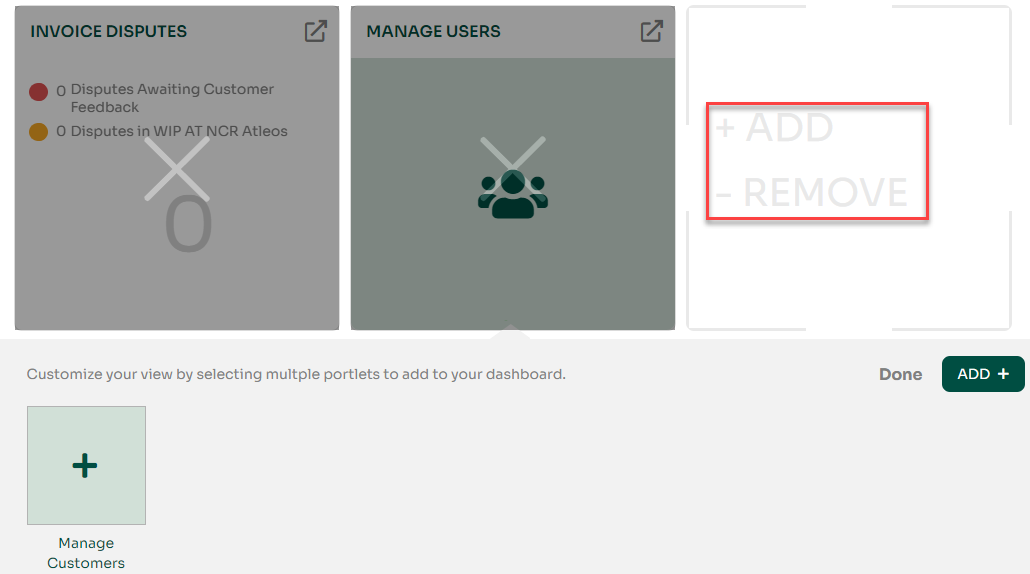
You can add or remove portlets to tailor your dashboard. For example, if you frequently manage users, you may want to keep the Manage Users portlet visible at all times. Here's how to add or remove portlets:
To explore each portlet in more detail, including their specific functionality and screenshots, visit our full Portlets Guide.
The Dashboard is designed to be user-friendly and efficient. Whether you’re submitting incidents, managing customer data, or downloading invoices, your dashboard brings it all together in one place.