Use your credentials to sign in to NCR Atleos Central.
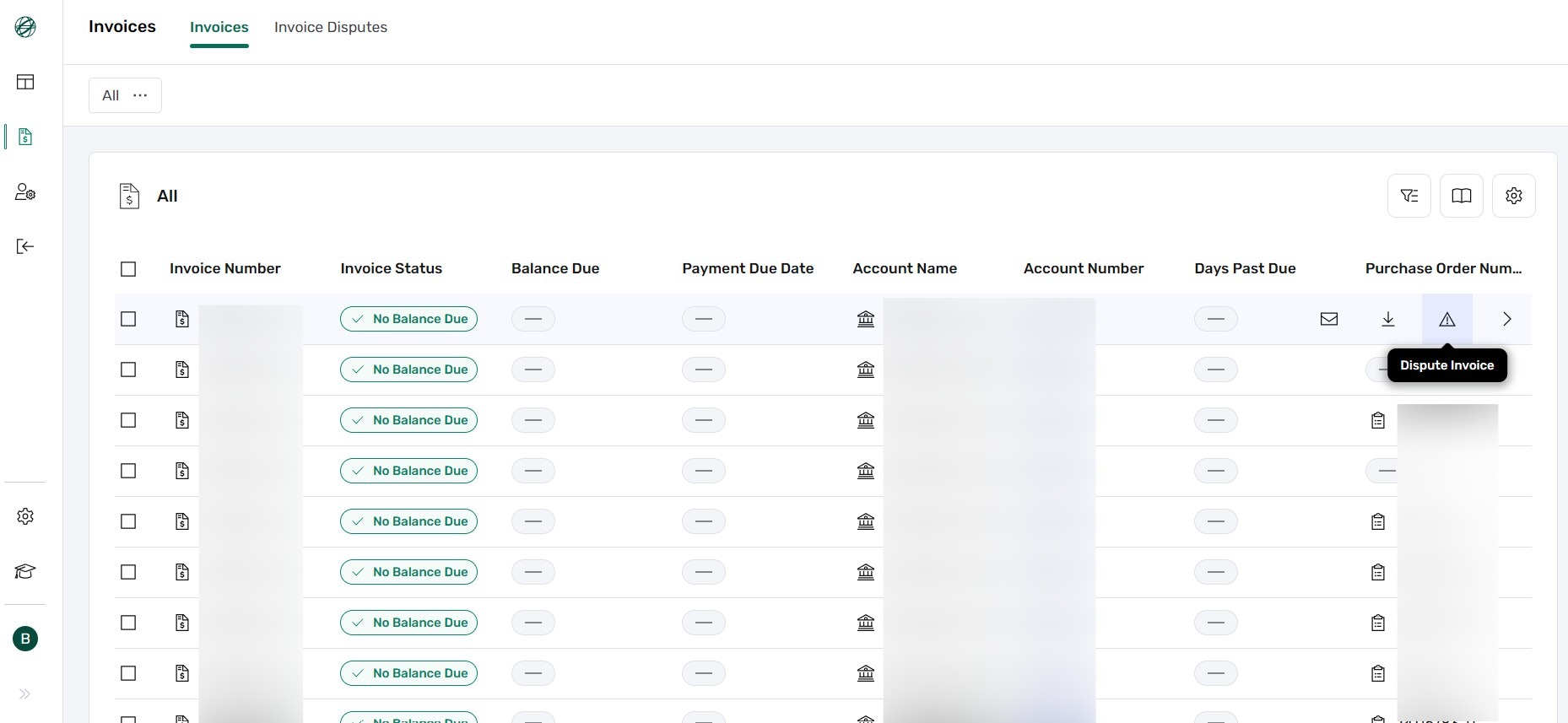
On the left-hand vertical menu, click the icon that looks like a page with a dollar sign 💲 to access the Invoices Page.
Use the Advanced Filter to search for the invoice by criteria such as:
Hover over the invoice row you want to dispute. On the right side, click the ⚠️ Dispute Invoice button to open the dispute form.
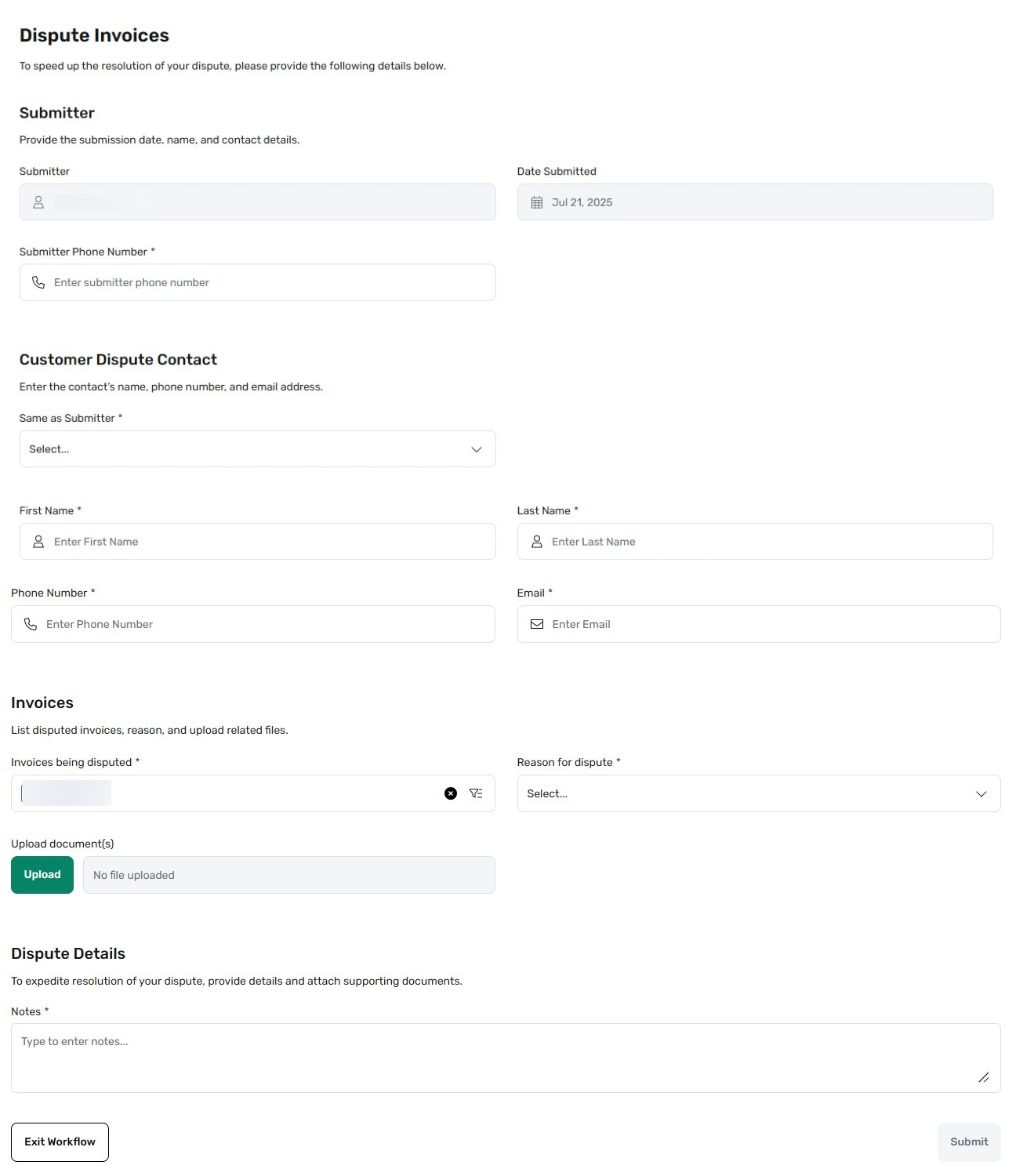
Fill out the required fields in the dispute form. Include a clear explanation and any relevant supporting details. Once completed, submit the form to initiate the dispute process.
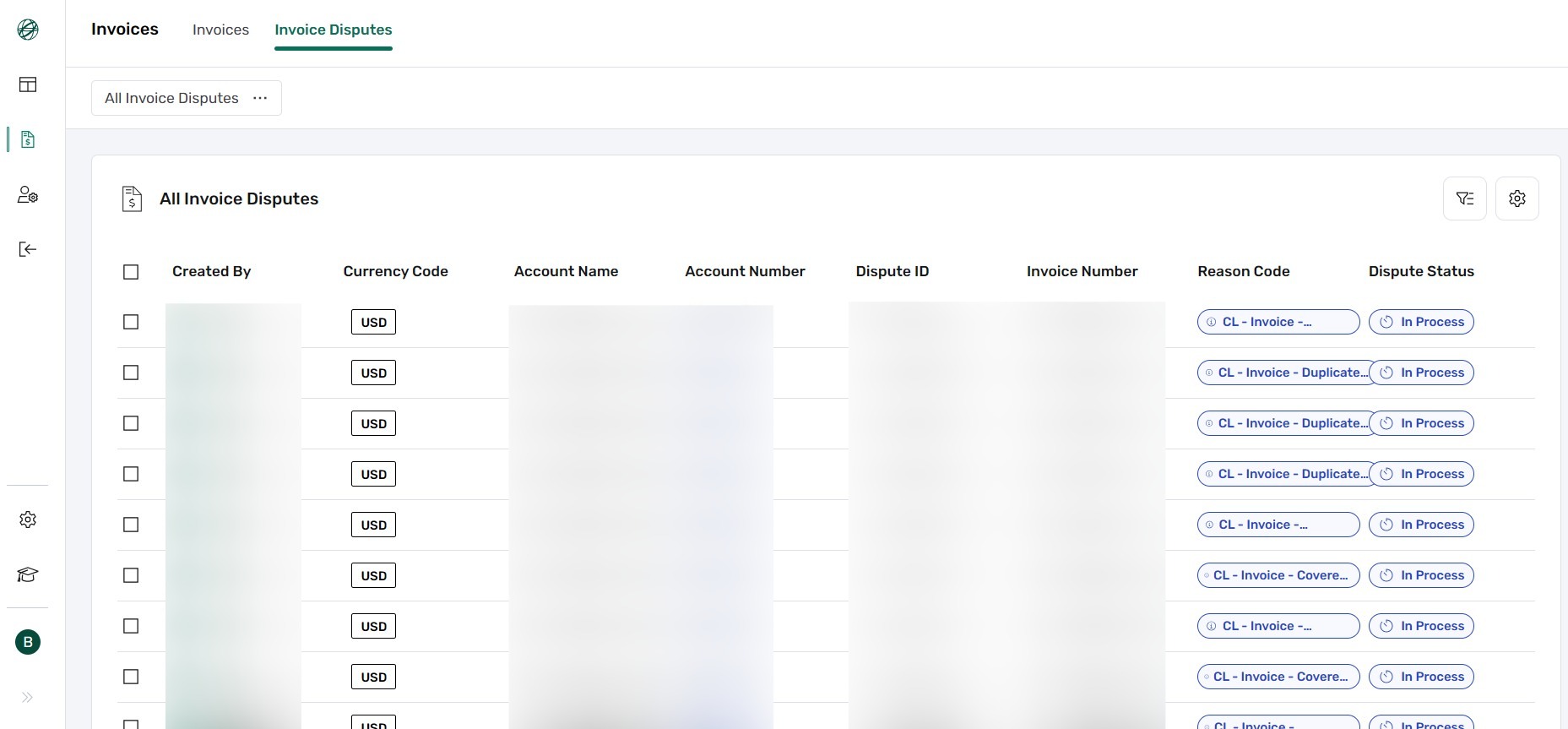
Click the Invoice Disputes tab (next to the Invoices tab) to view the status of all submitted disputes.