
Creating Users on NCR Atleos Central
A comprehensive guide for User Admins to provision, configure, and manage new team members.
User Admin Privilege
User creation is a core administrative function exclusive to designated User Admins. Keep in mind that newly created User Admins will also possess the capability to provision and designate other administrators. Permissions and available applications are dictated by the specific account the user is linked to.
Step-by-Step User Creation
Follow these portal workflows to set up a new user account successfully.
Accessing Administration
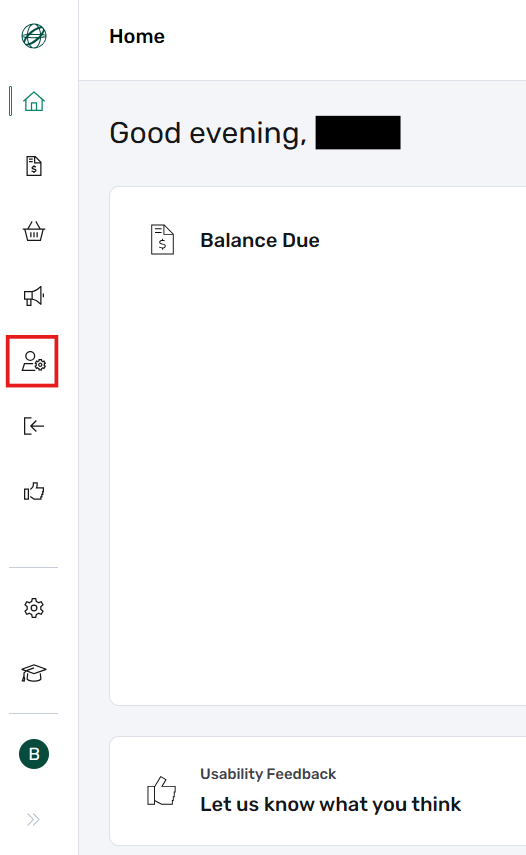
The Administration button can be found on the Dashboard, which serves as the primary landing page immediately after logging into the NCR Atleos Central portal. To begin, locate and click the Administration icon on the left-hand vertical menu bar.
Initiate User Creation
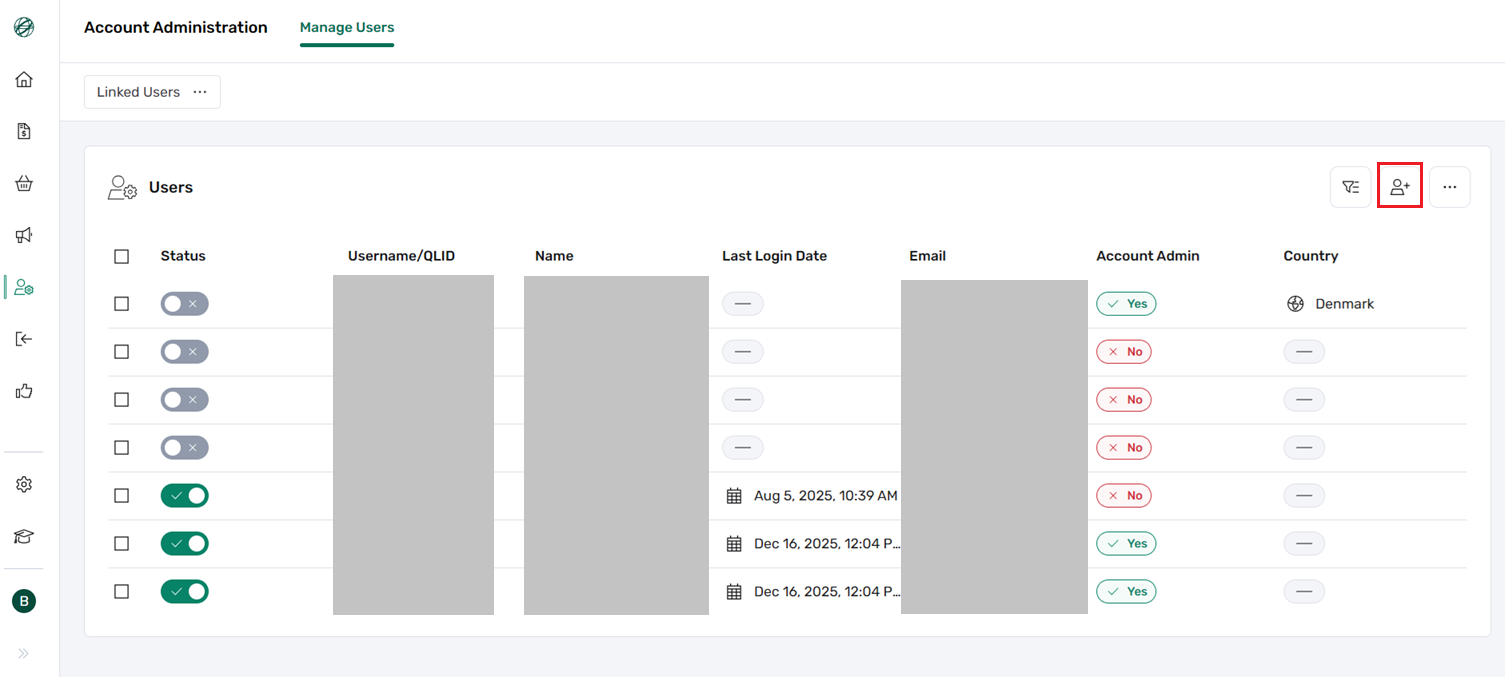
Once inside the Administration view, you will see a complete list of all users linked or unlinked to your account. To add a new team member, click the Create User button located in the upper right corner of the screen.
Enter User Details
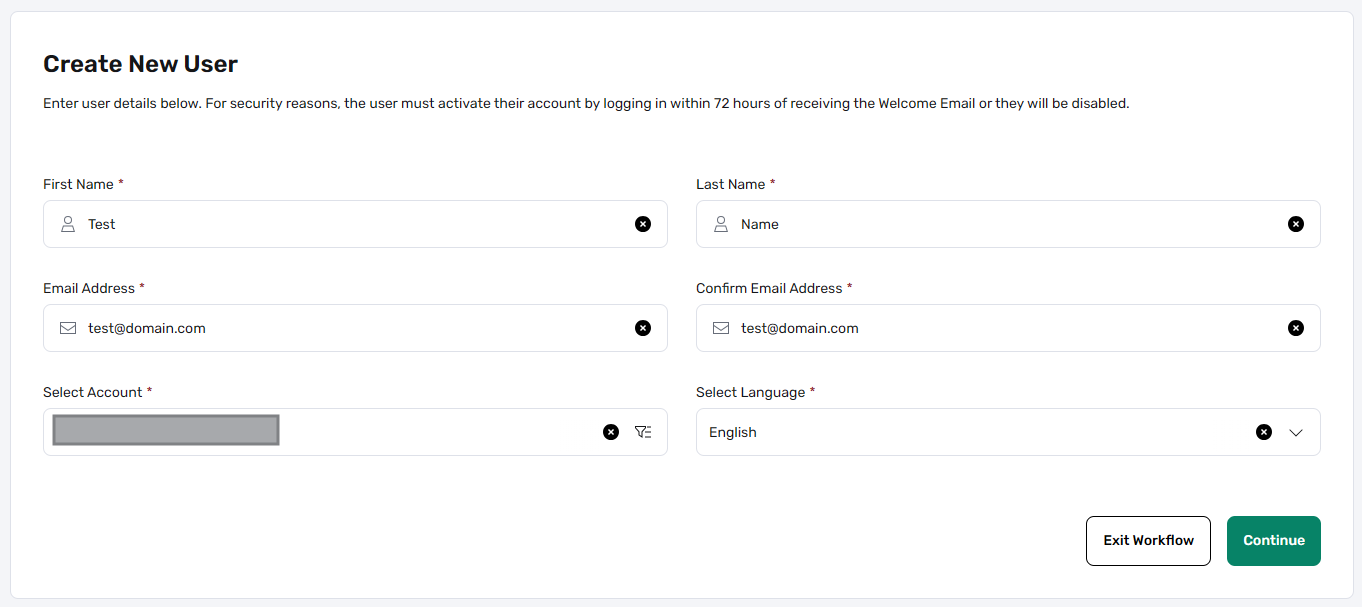
On the user creation page, you must input the primary profile details required for the new account:
- • First Name and Last Name
- • Email Address: Must be unique per user and confirmed accurately.
- • Select Account: Use the search field to properly link the user to the appropriate account.
- • Language: Select the preferred Portal UI language for the user from the dropdown menu.
Assign Permissions
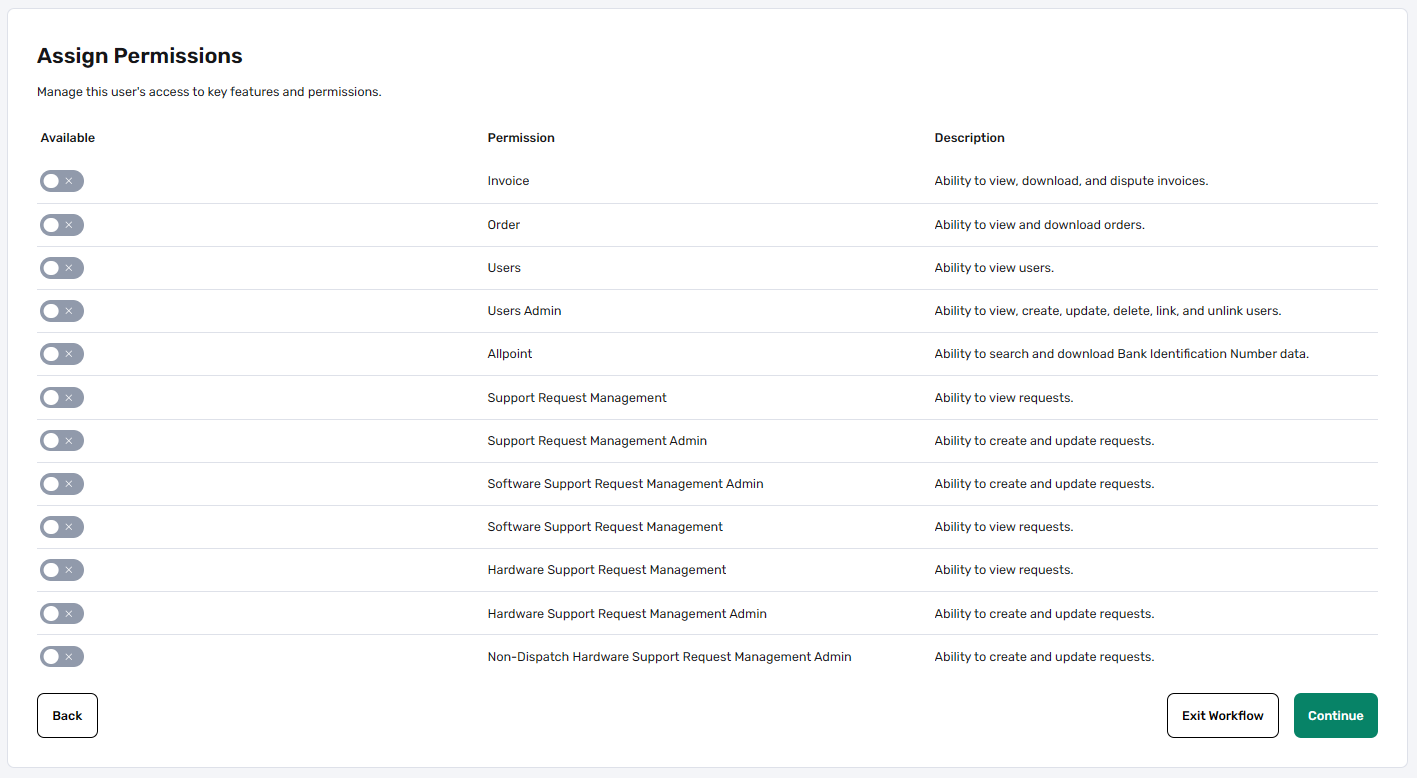
After clicking Continue, you will reach the Assign Permissions step. The specific range of permission options available here will adapt automatically based on the account selected in the previous step.
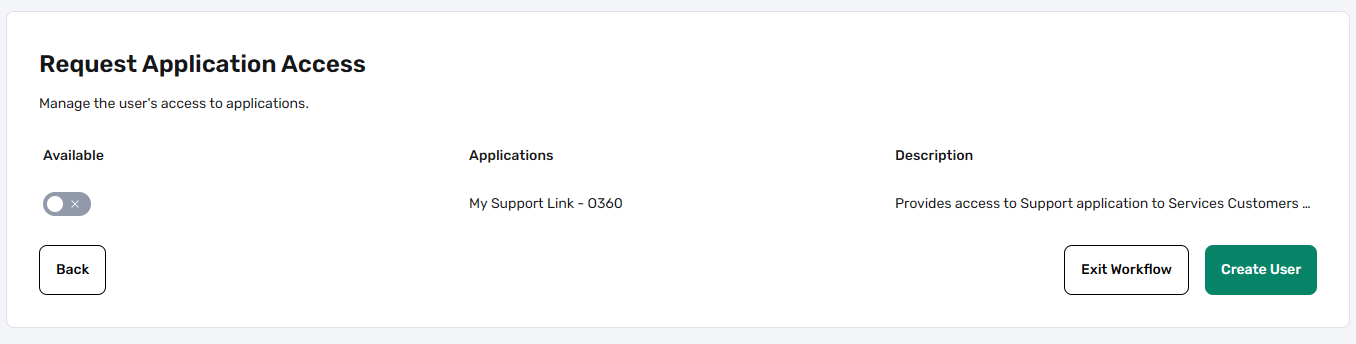
Request Application Access
On the final access page, select any specific portal applications your user needs based on their account type.
Note: Some applications require secondary approval, which is typically processed within approximately 2 business days.
Finalizing Creation
Click Create User to complete the setup. Once submitted:
- The user record is created in the system.
- An automated welcome email is sent to the new user.
- The email contains instructions for registration and account setup.
Important Setup Requirement
Users have 72 hours from the time of account creation to complete their setup and registration. If the setup is not completed within this timeframe, the account will be automatically disabled for security purposes.
Recommendation: To ensure users have ample time to respond during business hours, it is best to create new users at the beginning of the week.