
Adding Applications to Users
Request application access for users in your organization
Application Access
Account Admins can request applications for users in their organization directly from the user's profile.
Note: Only applications available to the user's linked account will appear. If an application is not listed, it may not currently be available for that account.
Request an Application
Find the User
Open Account Administration, select Manage Users, and find the user by name or email address.
Open the User's Profile
Move your pointer over the correct user and select View Profile.
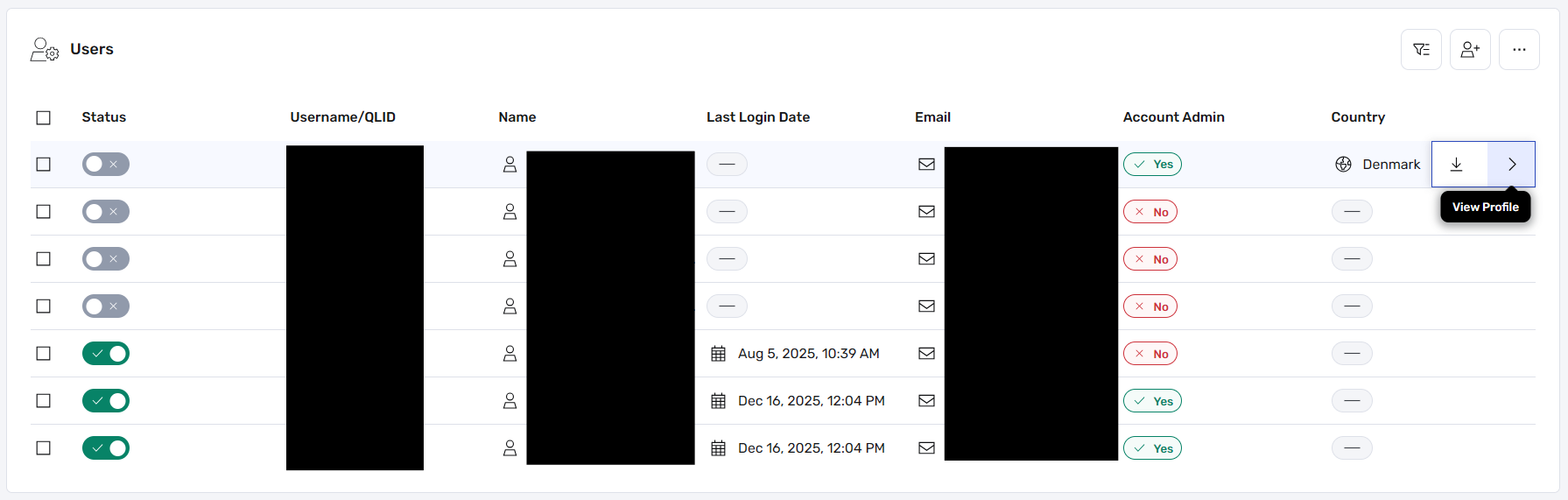
Select the image to enlarge.
Open Applications
Scroll to Related Content, open the dropdown, and select Applications.
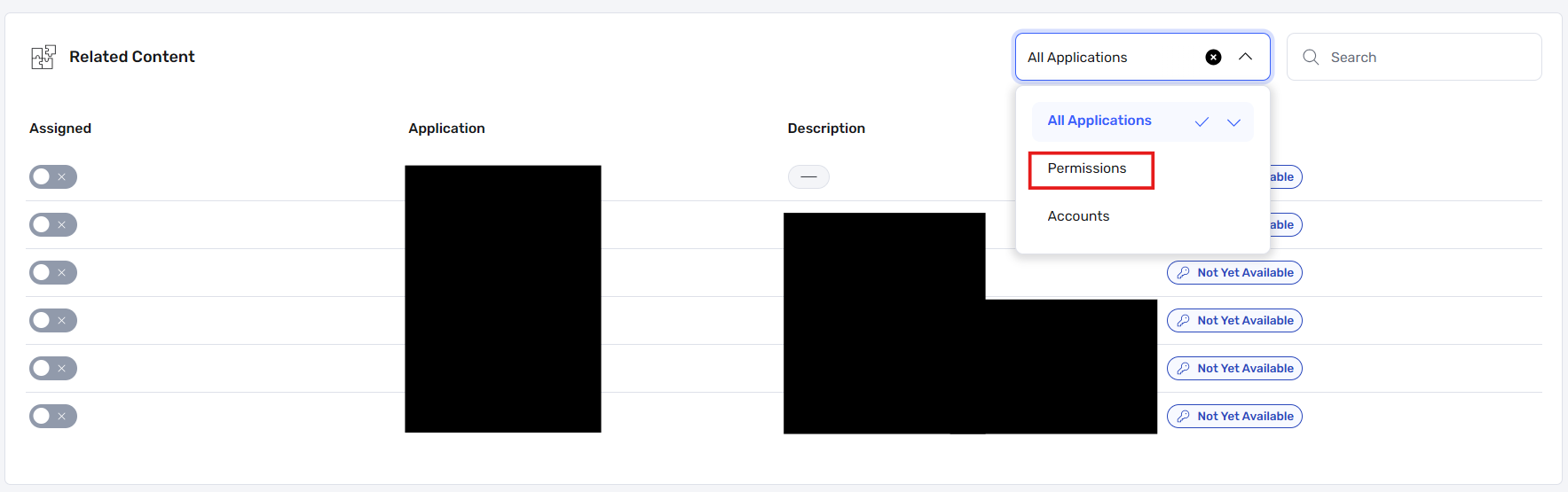
Open the Related Content dropdown and select Applications.
Request the Application
Select the application the user needs and submit the request.
Some applications may require additional processing before access becomes available.
Don't See the Application?
Confirm that the user is linked to the correct account. Only applications available to that account can be requested. If you still need assistance, contact your NCR Atleos representative.